- 1
Install the extension from the Chrome store
- 2
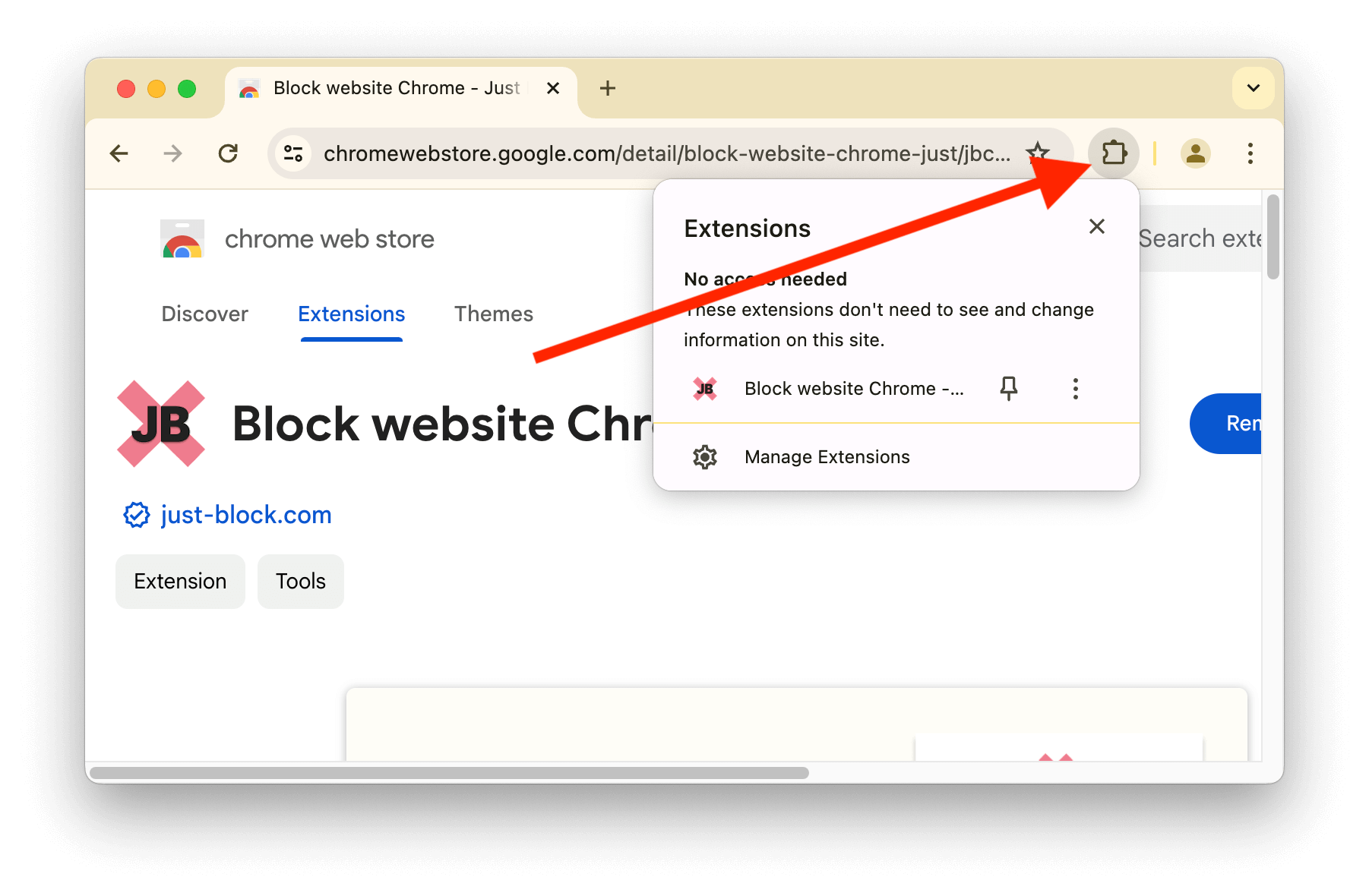
Open the extension list in Chrome by clicking on the puzzle piece icon in the top right corner of your browser
- 3
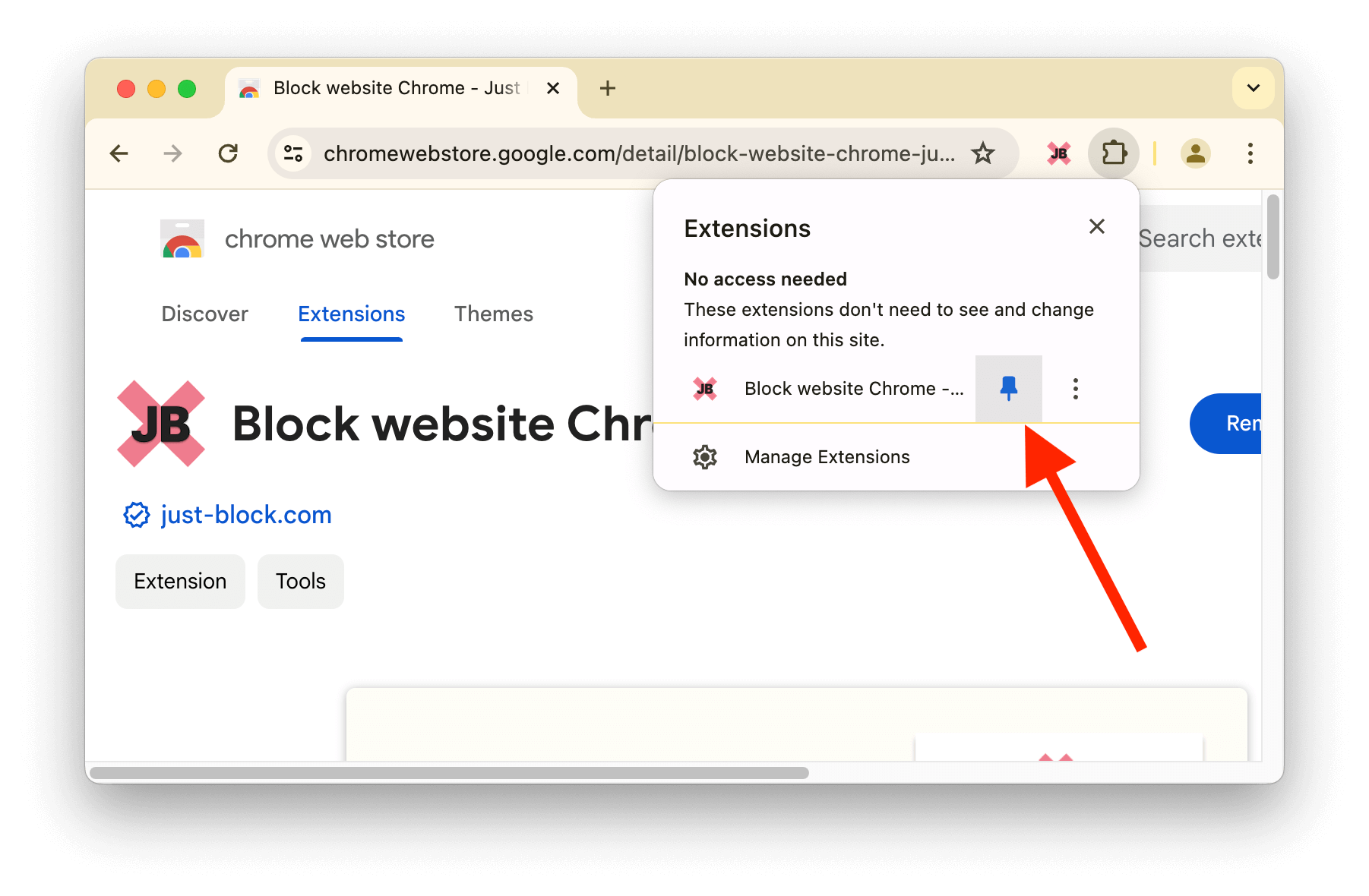
Find the JustBlock extension and click on the pin icon to pin it to your browser toolbar for easy access
- 4
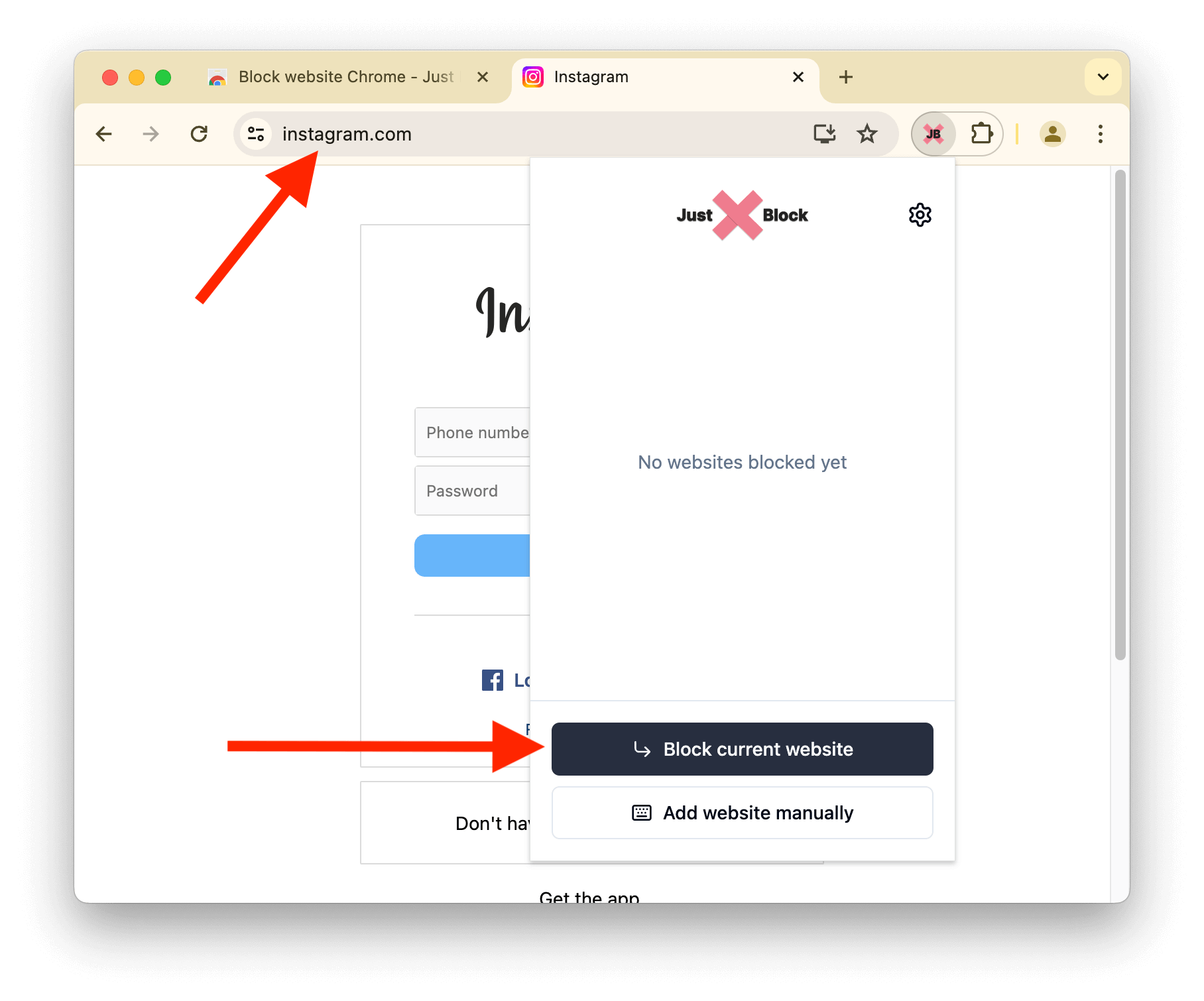
Navigate to a website you want to block, click on the JustBlock extension icon, and select "Block current website"
That's it! The website will now be blocked. If you want to access the blocked website, you'll need to solve a captcha to prevent you from unblocking websites impulsively. This extra step helps you think twice before accessing a distracting website. This aligns with the concept of making bad habits harder to repeat, as discussed in the book "Atomic Habits".
Key features of JustBlock
- No subscription, no sign up
- Block websites in 1 click
- Solve captcha to unblock
JustBlock offers a simple and effective solution to help you stay focused and productive by blocking distracting websites. Don't let websites control you. Control them instead and say no to distractions.